Choose the item
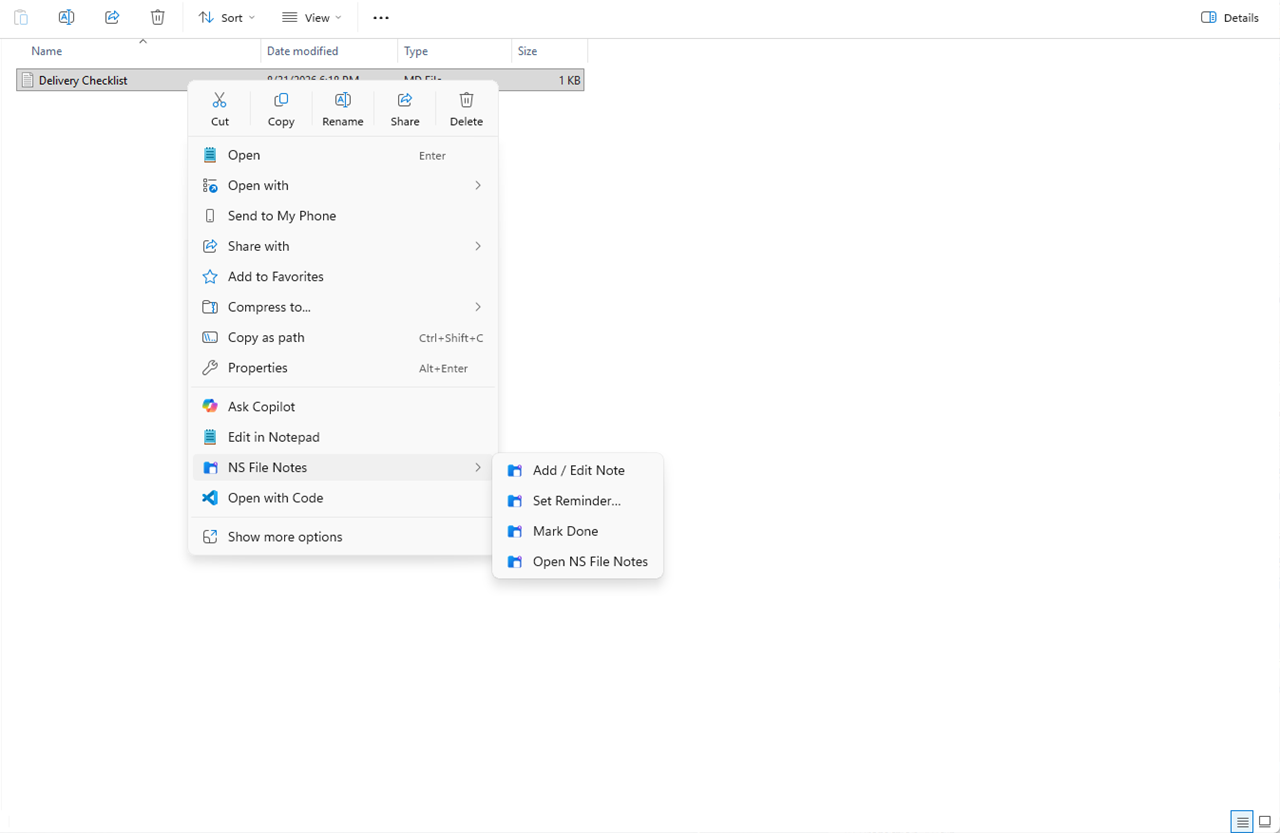
Open NS File Notes from File Explorer on a file, folder, or selection.
 NS product familyA Nioret Systems product
Windows productivity
Keep useful notes attached to the files and folders you work with.
For Windows users who manage projects through folders and want useful context without moving the work into another service.
The problem it solves
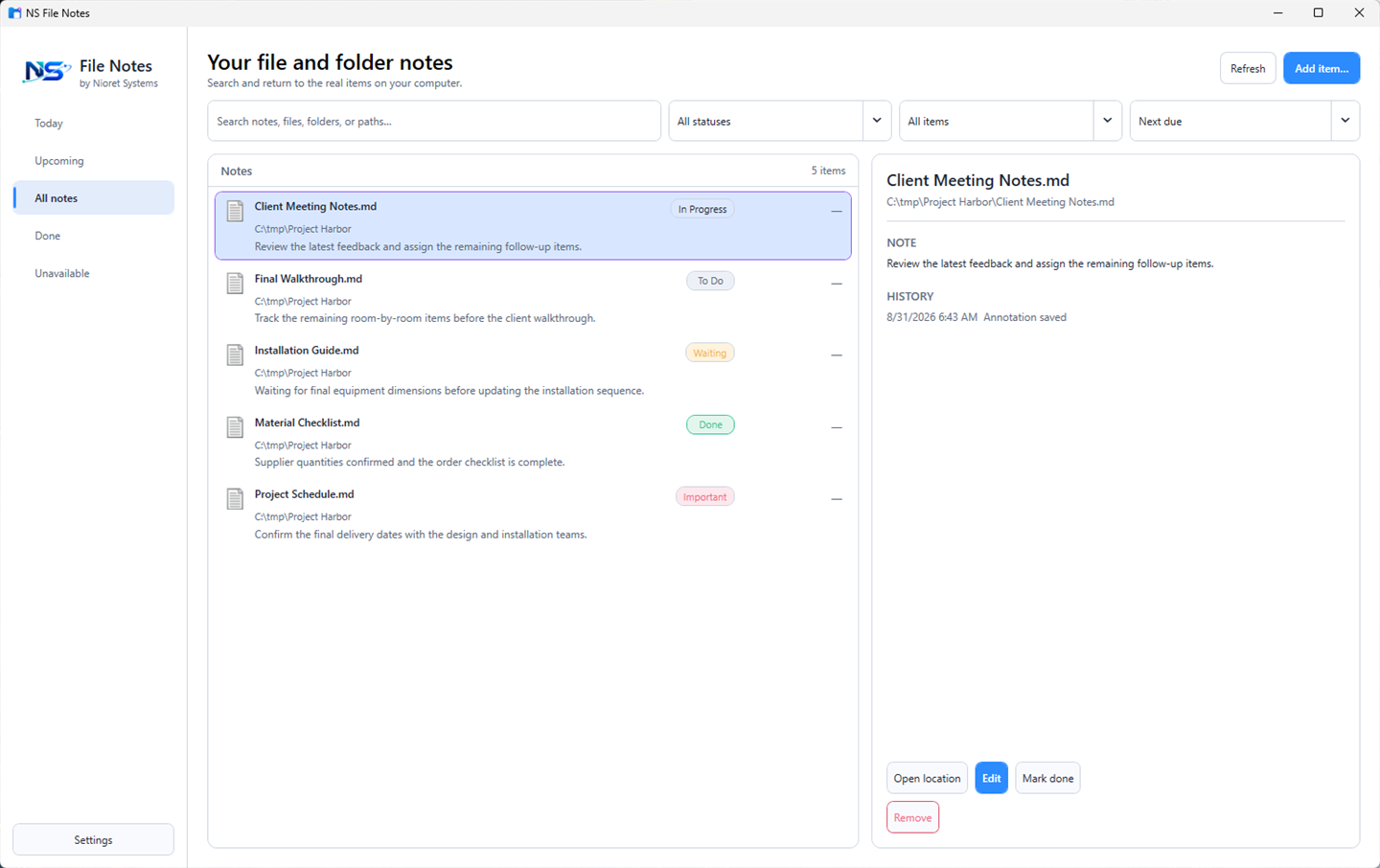
NS File Notes adds a practical layer of context to the Windows files and folders already carrying the work. The target stays where it is; its note, status, reminder, and history stay available in File Notes.
How it works
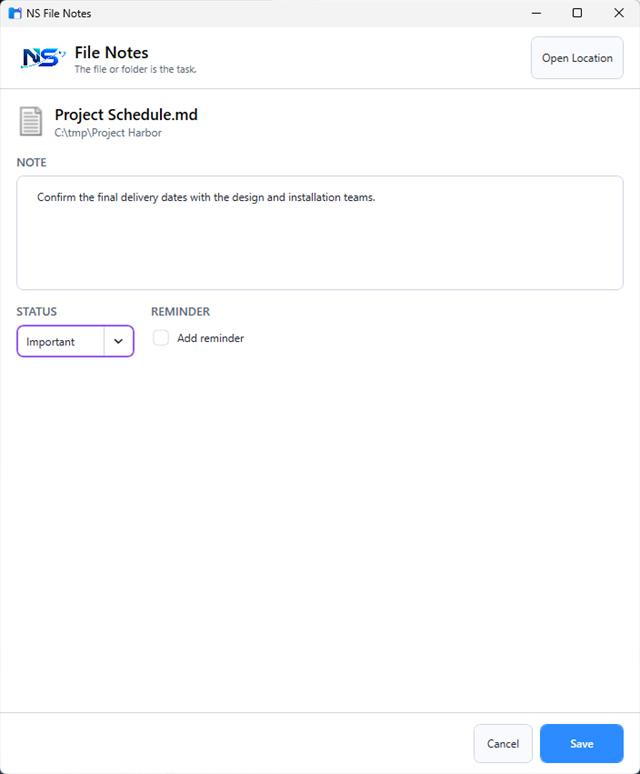
File Notes keeps the interaction compact: choose the item, add what matters, then return through Explorer, search, or a reminder.
Open NS File Notes from File Explorer on a file, folder, or selection.
Write a note, set a work status, and schedule a reminder without changing the target.
Search the manager or follow a reminder back to the original location.
Real workflow
What it helps you do
Each capability supports the same compact job: keeping file-level work understandable and actionable.
Explorer commands connect notes to the files and folders already in use.
Annotations live in a local database; the original item is not modified.
Stable NTFS/ReFS identity retains annotations through supported same-volume renames and moves when Windows exposes that identity.
A sign-in reminder agent delivers Windows notifications with snooze and completion actions.
The manager provides search, date views, status filters, history, and missing-target handling.
Who it is for
People who manage ongoing work through project folders.
Teams that need lightweight file-level context.
Windows users who want local notes and reminders without another cloud workspace.
Requirements and purchase
NS File Notes 1.1.0 is available for Windows 11 as a one-time purchase.
Includes NS File Notes 1.1.0 and all 1.x updates. No subscription and no recurring monthly or annual billing.
Read purchase detailsQuestions
No. Notes, status, reminders, and history are stored separately in a local SQLite database.
On NTFS/ReFS volumes where Windows exposes stable file identity, ordinary same-volume renames and moves retain the annotation. A path fallback is used when that identity is unavailable.
No. The license is a one-time purchase covering version 1.1.0 and all 1.x updates.
Select Get File Notes or Buy now to open its card in the Download Center and continue there.
Related software
Related products are limited to genuine adjacent workflows.
NS File Notes
Get NS File Notes 1.1.0 for Windows 11 for a $12.99 one-time purchase.